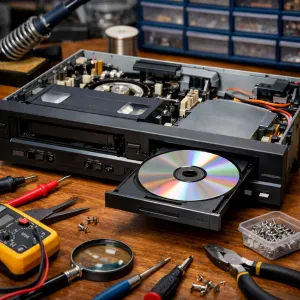
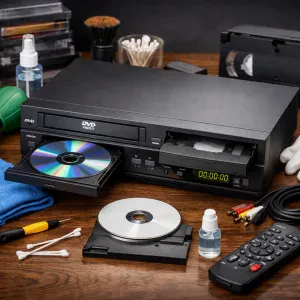
Cleaning the outside of your DVD VCR combo is simple and doesn’t take much time. You’ll want to keep it looking good and working right, and a little TLC goes a long way. Start by unplugging the device. Safety first, right?
Grab a microfiber cloth and some warm, soapy water. Make sure to avoid any harsh chemicals that could scratch the surface. Just dip the cloth in the soapy water, wring it out, and gently wipe down the exterior. Focus on spots that gather dust or grime, like the top and front panels.
For those stubborn fingerprints and smudges, a glass cleaner solution is your friend. Spray a little on the cloth, not directly on the device. Then, wipe it down to a shine! Just remember, don’t let any liquid seep into the vents or openings to prevent any internal damage.
Finally, don’t forget about the remote! It can get just as dirty. Use the same soapy cloth to clean it, making sure to get between the buttons. Now you're all set! Keeping your machine clean helps maintain its performance and extends its lifespan. You’ve just learned how to clean DVD VCR combo easily!
Maintaining the VCR Tape Mechanism
Keeping your VCR tape mechanism clean is key to enjoying your favorite films without a hitch. Over time, dust, dirt, and even old tape residue can build up inside. This can lead to poor playback quality or, worse, completely jamming your machine. So, let’s dive into how to clean that VCR tape mechanism properly.
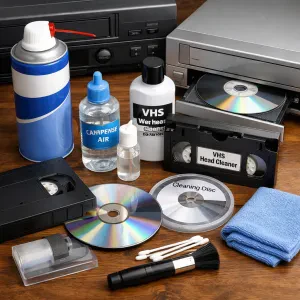
First, gather your supplies. You’ll need a can of compressed air, cleaning fluid specifically made for VCRs, cotton swabs, and a soft, lint-free cloth. If you want to go the extra mile, look for cleaning tapes that can help maintain the heads without manual cleaning.
Start by unplugging the combo unit. Safety first! Open the tray and take a good look inside. Use the compressed air to blow out any dust and debris. Stay clear of the tape heads at first. Once you’ve cleared out the loose dirt, it’s time to go in for detailed cleaning.
Grab the cotton swabs and a bit of your cleaning fluid. Lightly moisten the swabs, then gently wipe the tape heads and any other accessible parts inside the VCR. Make sure not to soak anything; a little goes a long way. Afterward, use the lint-free cloth to wipe down the surrounding areas to keep everything neat.
Once you’ve finished, close the tray, plug in the unit, and put it to the test. You’ll be amazed at the difference this simple process can make! Now you know how to clean your DVD VCR combo like a pro and keep those classic tapes rolling smoothly.
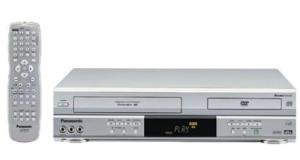
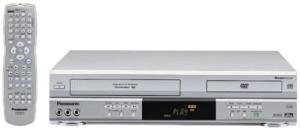
Panasonic PV-D4743S Silver DVD-VCR Combo
Enjoy your favorite movies and shows with this all-in-one DVD and VCR combo that’s simple to use and delivers great picture quality
Product information
$139.99
Product Review Score
4.28 out of 5 stars
119 reviewsProduct links
Caring for the DVD Player Parts
When it comes to keeping your DVD VCR combo in top shape, caring for the parts can make a big difference. These machines are delicate, so a little patience goes a long way. Here are some easy tips to help you maintain your gear.
First off, always start by unplugging your DVD VCR combo. Safety first, right? Once it’s disconnected, you can begin cleaning. Use a soft, lint-free cloth to wipe down the exterior. This helps get rid of dust and fingerprints, making it look sharp.
For the inside parts, like the laser lens, you need to be gentle. Invest in a DVD lens cleaner. These are usually discs that come with brushes or cleaning solutions. Just pop it in and let it do its thing. It’s a simple way to ensure your players deliver the best picture and sound.
Lastly, don’t forget about the tapes and DVDs. Keep them clean by gently wiping them with a soft cloth from the center outwards. This prevents scratches and helps them last longer. Now you know how to clean your DVD VCR combo without breaking a sweat!
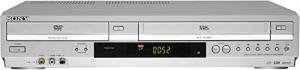
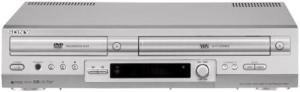
Sony VHS/DVD Combo Player
Enjoy your favorite movies and shows with this versatile Sony player that handles both DVDs and VHS tapes effortlessly
Product information
$264.90
Product Review Score
4.64 out of 5 stars
181 reviewsProduct links
Safely Cleaning the Screen and Remote
Keeping your DVD VCR combo clean is super important for its longevity and performance. When you're wondering how to clean DVD VCR combo, don't overlook the screen and remote—they can get pretty grimy over time!
Start with the screen. Use a microfiber cloth to gently wipe the surface. Avoid using paper towels or any rough fabric, as they can scratch the screen. If there's stubborn dirt, lightly mist the cloth with a screen-safe cleaner. Just remember, don’t spray directly on the screen—keep it safe!
Now, let's talk about the remote. This little guy can gather up tons of germs and dirt. Pop off the batteries before you start cleaning. Wipe down the exterior with a damp cloth. For stuck-on grime, use a cotton swab dipped in rubbing alcohol to get into the nooks and crannies. Make sure everything is completely dry before putting the batteries back in.
Regular cleaning makes a big difference in how your DVD VCR combo works. By following these simple steps, you're not just learning how to clean DVD VCR combo; you're also protecting your investment for years to come! So, keep that remote and screen sparkling clean, and enjoy your movie nights even more!